Important Facts of the News
- Ghost posts on Threads automatically archive after 24 hours.
- Replies to ghost posts are delivered privately to the user’s messaging inbox.
- Only the post creator can view likes and replies on ghost posts.
- Users can enable ghost posts by toggling the ghost icon during posting.
- Threads recently added text attachments allowing up to 10,000 characters.
- An option to hide media or text in posts containing spoilers was introduced earlier in the year.

What Are Ghost Posts on Threads
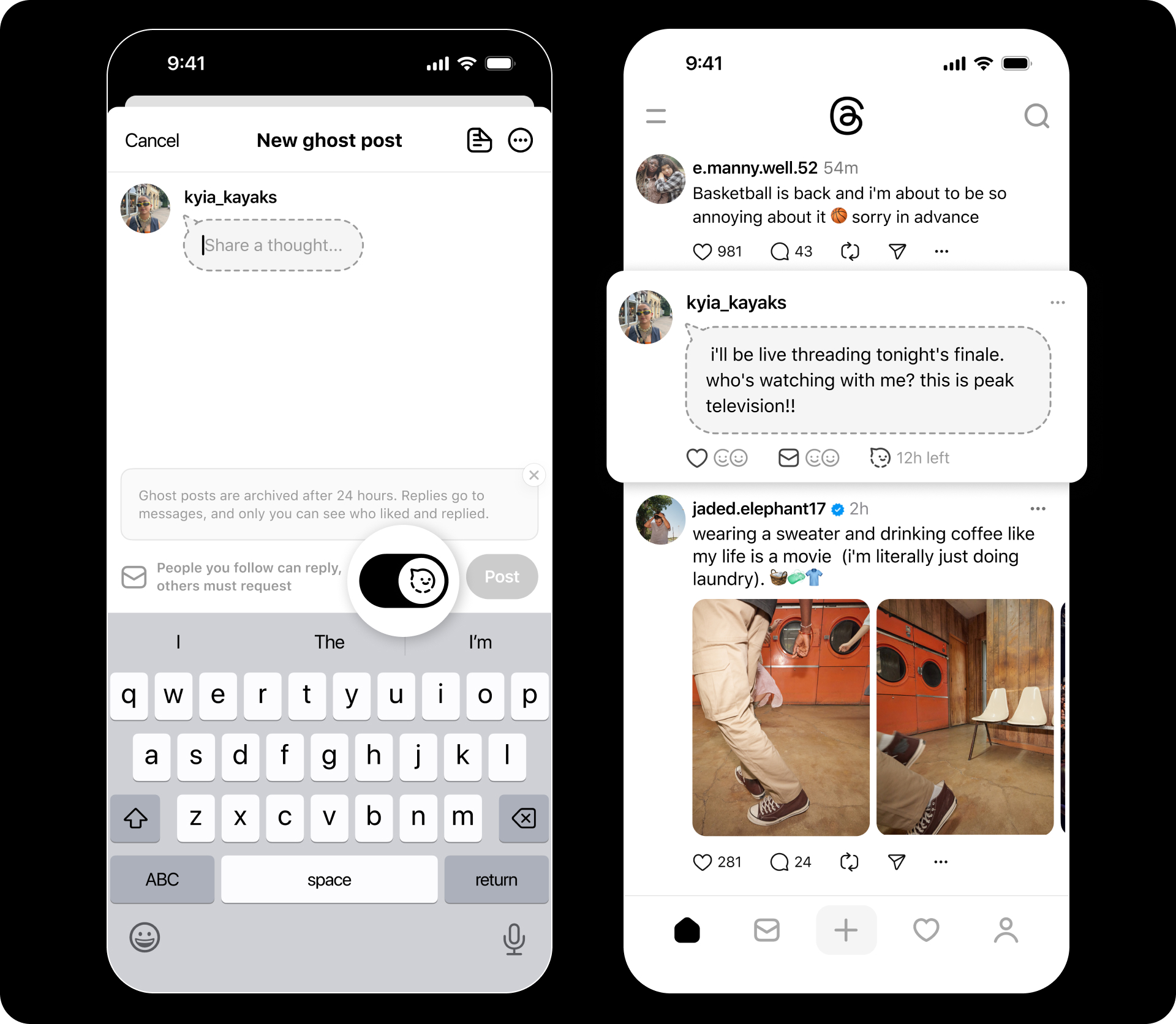
Threads has introduced a new posting option called ghost posts, which allows users to share thoughts and updates that automatically archive after 24 hours. The feature is designed for moments when people want to express themselves freely without the concern of creating a lasting digital record.

How the Feature Works
A ghost post can be created by simply enabling the ghost icon when writing a post. Once published, the post remains visible for a day and then quietly moves into an archived state. Another notable element of this feature is the privacy control surrounding interactions.
Private Interactions
Replies to ghost posts are sent directly to the user’s messaging inbox, making the interaction more personal and private. Additionally, the only person who can see who liked or responded to the ghost post is the original poster.
Part of a Series of New Expression Tools
Ghost posts are part of the broader set of features that Threads has been adding to support more dynamic and expressive conversations. Earlier updates included the ability to hide media or text in posts containing spoilers, and the introduction of text attachments that allow users to write posts of up to 10,000 characters.
With these developments, Threads aims to give users more control over how they participate in online conversations, experiment with new expression formats, and share thoughts with a reduced sense of permanence.